Restaurant QR code: how to manage unpaid, refused or abandoned orders
QR code ordering simplifies order-taking in restaurants, bars, hotels, terraces and seasonal venues. But like any ordering channel, it needs to be well organised. What happens if a customer abandons their order? What if payment fails? These situations need to be anticipated so QR code ordering stays smooth for the team and reassuring for the customer.
The different cases to distinguish
Abandoned order
The customer scans, adds products then closes the page without confirming. This is normal (hesitation, waiting for friends...) and should not create operational load: it should not be sent to the team.
Unpaid order
Suited to a traditional restaurant, riskier in a bar, rooftop or terrace. A clear rule must be set: payment before sending, at the end of the meal, or at the counter.
Declined payment
Card declined, failed authentication, network issue... The order should not be considered confirmed. The customer must get a clear message: "Payment did not go through".
Order refused by the venue
Out-of-stock product, kitchen closed, area not served... If the order was paid, a refund or replacement process must be in place.
Order cancelled by the customer
It's worth displaying a simple rule: cancellation possible before confirmation or before payment; after preparation, cancellation is not guaranteed.
Paid order but product unavailable
The team must be able to offer a replacement, a credit, a partial or full refund. The best solution remains to quickly disable an out-of-stock product.
When to allow orders without immediate payment?
If you have classic table service, the customer stays a while, the team tracks tables well and the risk of unpaid orders is low.
When to require payment?
When customers move around a lot, staff is limited or the risk of unpaid orders is real — often the case in nightclub bars, busy terraces, rooftops and hotels.
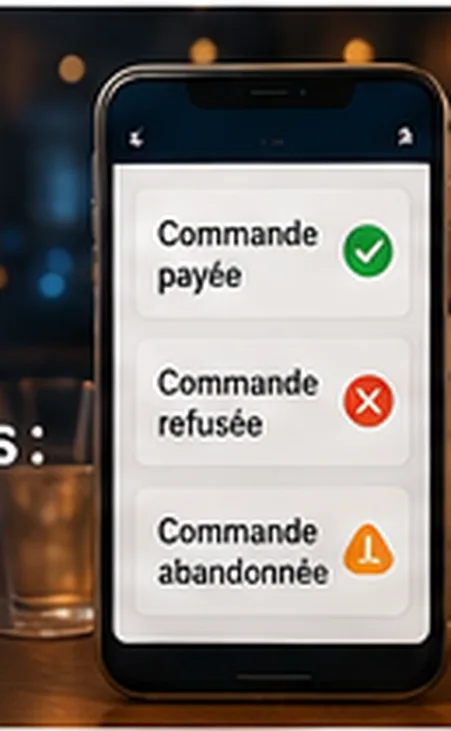
Setting up order statuses
Even with a simple system, tracking clear statuses avoids misunderstandings:
The customer must also understand what's happening through simple, transparent messages. See also our article on terms to display on a digital menu and our guide to payment before a QR code order.
QR2App: a simple journey to limit issues
QR2App lets you offer QR code ordering without a mandatory POS or an imposed printer, with online payment available to secure the journey when relevant. This approach is especially suited to venues where the risk of unpaid orders is real — see also our guide to commission-free QR code ordering.
Common mistakes to avoid:
- sending an order before payment when payment is meant to be mandatory
- not informing the customer of a failed payment
- not disabling out-of-stock products
- not planning a refund process
- not distinguishing an abandoned order from a confirmed one
FAQ
What is an abandoned QR code order?
It is an order started by the customer but never confirmed. It should generally not be sent to the team.
What if payment fails?
The order should not be confirmed if payment is mandatory. The customer should be prompted to retry or contact the team.
Should payment be required before ordering?
It depends on the type of venue. It is often useful for bars, terraces, rooftops and hotels.
How do you handle an unavailable product after payment?
A replacement, partial refund or full refund should be offered depending on the situation.
Can QR2App help limit unpaid orders?
Yes, online payment can secure orders when the venue chooses to enable it.